
Chaos Battlegrounds Controls
Every core input explained—punch, block, dash, ragdoll cancel, run, ultimate, and emotes.
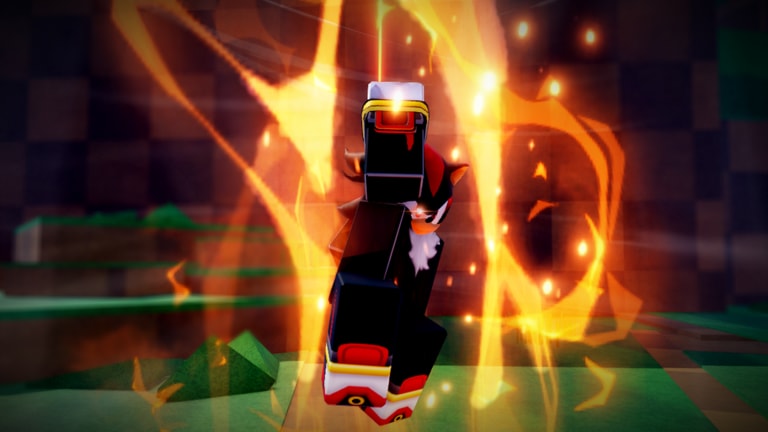
Chaos Battlegrounds keeps the scheme small on purpose. A short list of actions covers almost every fight on PC, console, and mobile, so the players who win are usually the ones who fire the right input without thinking. This page is the dedicated controls reference. Pair it with Getting Started on day one and Combat Tips once the buttons feel automatic.
Full control list
| Input | Action | Why it matters |
|---|---|---|
| Left Click | Punch | Your basic damage tool and confirm starter |
| F | Block | Cuts incoming damage and creates punish windows |
| Q | Dash | Gap closer, escape tool, and mix-up mover |
| Q while ragdolled | Ragdoll Cancel / Evasive | Ends knockdown early so you are not free damage |
| Double Tap W | Run | Longer sprint for rotates and disengages |
| G | Ultimate Mode | Power spike that can swing a stalled duel |
| B | Emote Wheel | Social / flex tool between fights |
Memorize the table before you chase character tech in the Sonic Guide or Shadow Guide.
Punch (Left Click)
Punching is the heartbeat of the game. Do not mash blindly into a blocking opponent; throw short strings, then reset. Use punches to:
- Chip a distracted player who just won another fight
- Confirm after a successful dash
- Force respect so your next dash or ultimate is harder to punish
If your punches keep whiffing, you are standing too far or dashing too predictably. Re-center, walk, then recommit. Clean punch timing also makes Rings farming smoother—see How to Get Rings.
Block (F)
Block is the difference between a trade you survive and a ragdoll you eat for free. Hold F when you see a committed approach, especially from players who only know how to dash-punch. Good block habits:
- Block the first hit of an obvious string, then punish the recovery
- Do not hold block forever against mix-ups—release and dash away if they stall
- Pair block with awareness of third parties; a blocked duel can still get stolen
Blocking well is how lower-mechanical players beat reckless high-damage players in 15-person lobbies.
Dash (Q) and Ragdoll Cancel
Q is your mobility button in neutral and your panic button on the floor. In neutral, dash to:
- Close the last step into punch range
- Escape a lost exchange
- Cross someone who expects you to walk forward forever
When you are ragdolled, press Q again for Ragdoll Cancel / Evasive. This is mandatory. Staying ragdolled turns you into Rings for whoever is nearby. Drill the cancel until it is reflex: hit the floor, cancel, block or dash, reassess.
Advanced players fake dash patterns—short dash, pause, real dash—so you cannot rely on one timing. Study those habits in Combat Tips.
Run (Double Tap W)
Double Tap W breaks into a full run. Use it when:
- You need a longer rotate across the arena
- You are banking Rings and want out of a collapsing brawl
- You are hunting a low player who fled after a bad trade
Running is not a substitute for dash in close range. Dash wins micro-spacing; run wins macro movement. Mixing both keeps you harder to pin.
Ultimate Mode (G)
G activates Ultimate Mode, the fight-swing button. New players waste it the second it is available. Better habits:
- Save ultimate for a confirm when the opponent is already pressed or recovering
- Avoid popping G while multiple third parties are staring at you unless you can finish instantly
- Learn how Sonic’s ultimate timing differs from Shadow’s Chaos tools as kits expand
Upcoming patches are expected to add more Sonic ultimate moves and a fuller Shadow moveset—track that on Upcoming Updates and compare strength on the Characters Tier List.
Emote Wheel (B)
B opens the Emote Wheel. It does not earn Rings or badges, but it is part of the social layer after a clean win. More emotes and cosmetics are planned alongside the larger combat update, so the wheel will matter more for expression over time.
Platform notes (PC, console, mobile)
The same verbs exist across platforms even when the physical buttons differ:
- PC: mouse click + keyboard letters as listed above
- Console: map punch / block / dash / ultimate to face buttons and triggers you can hit under stress
- Mobile: prioritize large, reachable attack and block controls; practice ragdoll cancel until your thumb finds it cold
If an input feels awkward on your device, remapping (where Roblox / the experience allows) is worth five minutes before a long farming session.
Practice routine (10 minutes)
- Join any lobby from Getting Started advice.
- Spend two minutes only punching and blocking a willing duel or a bot-like passive player.
- Spend three minutes dash in, punch, dash out.
- Intentionally take a hit that ragdolls you, then cancel with Q ten times in a row.
- Sprint with Double Tap W across the map twice.
- Pop Ultimate Mode once in a low-risk duel to feel the timing.
- Open the Emote Wheel once so B is not a mystery key later.
Related pages
- Guides Hub
- Getting Started
- Combat Tips
- How to Get Rings
- Sonic Guide · Shadow Guide
- Kill Badges · Tier List · Codes · Scripts
Learn the buttons here; win the fights on the combat and character pages.
Frequently Asked Questions
Quick answers to the most common Chaos Battlegrounds questions.
What does Q do while I am ragdolled?
Pressing Q while ragdolled triggers Ragdoll Cancel / Evasive so you recover faster instead of staying open on the floor.
How do I run in Chaos Battlegrounds?
Double Tap W to break into a full sprint for longer rotates and disengages.
Which key activates Ultimate Mode?
Press G to enter Ultimate Mode. Save it for confirms instead of burning it the instant it is available.
Do controls differ on mobile?
The actions are the same—punch, block, dash, cancel, run, ultimate, emotes—but the on-screen layout changes. Practice ragdoll cancel until it is automatic on touch.
Where should I go after learning controls?
Read Combat Tips next, then How to Get Rings. Specialize with the Sonic or Shadow guides when the inputs feel natural.