
Chaos Battlegrounds Mobile Guide
Win more fights on phone and tablet with cleaner touch habits, safer dashes, and smart ultimate timing.
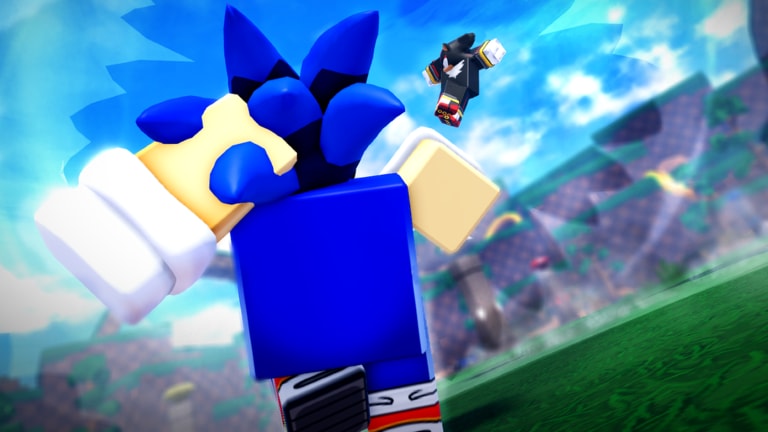
Chaos Battlegrounds is fully playable on mobile, and a huge share of the 15-player lobbies are phone fighters. This guide translates the PC-centric tips from Controls and Combat Tips into touch-friendly habits so you can farm Rings, climb kill badges, and survive Sonic vs Shadow chaos without a keyboard.
Why mobile feels different
On PC you have dedicated keys for Punch, F block, Q dash, ragdoll cancel, Double-W run, G Ultimate, and B emotes. On mobile those actions live on on-screen buttons and joysticks. The kit is the same—the timing window is tighter when your thumb covers part of the screen.
Expect:
- Slightly slower reaction to sudden third parties
- More accidental dashes when you mash near the dash button
- Harder camera control while blocking and swinging
- Equal Ring rewards when you still land the kill
Mobile is not a soft mode. Patient phone players beat reckless PC mashers every day.
Core mobile control map
Map the official actions to your thumbs before your first ranked-feeling lobby:
- Punch / basic attack — primary attack button (PC Left Click)
- Block — hold to blunt incoming strings (PC F)
- Dash — gap close or escape (PC Q)
- Ragdoll cancel / evasive — press dash again while knocked down
- Run / sprint — double-forward or the dedicated run control if shown
- Ultimate Mode — the ultimate button (PC G)
- Emote Wheel — open between fights, never mid-string (PC B)
If your UI layout feels cramped, check Roblox touch settings and lower graphics so the arena stays readable. Clarity beats max particles when you need to see a Shadow Chaos Rise wind-up.
First ten minutes on phone
- Join the official place: Chaos Battlegrounds.
- Stand still and tap punch, block, dash, cancel, run, and ultimate once each.
- Take one low-pressure duel; focus on canceling every knockdown.
- Scoop Rings and rotate—do not emote in the open.
- Read Getting Started if the overall loop still feels fuzzy.
Mobile-specific combat habits
Thumb discipline beats mash
Phone players lose when both thumbs panic. Pick a default posture:
- Left thumb on movement
- Right thumb ready to swap between punch and block
- Dash as a deliberate tap, not a nervous twitch
If you keep dashing into blocks, force yourself to walk into range for three fights. Spacing from Combat Tips still applies.
Block earlier than you think
Touch latency plus animation noise means you should start blocking a beat sooner than a PC guide implies. Holding block for a greedy dash-in, then answering with a short punch string, is the mobile bread-and-butter.
Cancel is still non-negotiable
The second you hit the floor, hit the cancel control. Late cancels on mobile are free Rings for anyone nearby—and badge progress you will not get back. Drill it until it is reflex.
Ultimate Mode on a small screen
Ultimate Mode (G on PC) swings fights, but cinematic tunnel vision is worse on phones. Only pop ultimate when:
- You already won neutral, or
- You need a clean finish before a third party arrives
Do not ultimate into a stacked corner you cannot see fully.
Farming Rings on mobile
Use the same isolate → finish → scoop → leave loop from How to Get Rings:
- Prefer distracted 1v1 leftovers over diving a full brawl
- After the kill, grab Rings immediately and sprint or dash out
- Avoid long highlight attempts that invite steals
Mobile camera wobble makes extended flashy exchanges riskier. Short, clean kills are how phone players climb toward 1,000,000 badge goals.
Character notes for touch players
- Sonic — best mobile learner. Complete kit, readable fantasy, strong for practicing block and dash confirms. See the Sonic Guide.
- Shadow — Chaos Rise and Vengeance / Chaos Control punish sticky thumbs. If you main him on phone, respect your own recovery and read the Shadow Guide. Free Shadow teasers will flood lobbies with more mobile Shadows—prepare on Upcoming Updates.
Move strength discussion continues on the Moves Tier List and Characters Tier List.
Graphics, heat, and session length
Phones throttle. If input delay spikes mid-session:
- Drop graphics quality one notch
- Close background apps
- Take a five-minute break instead of tilting into free deaths
Badge grinding is a marathon. Overheated thumbs make more mistakes than a slightly lower particle count ever will.
Codes, scripts, and mobile safety
As of November 2026 there are no verified working codes—see Codes. Never install a “mobile script APK,” auto-clicker that asks for your Roblox password, or fake update file. Read Scripts for why this wiki refuses loadstrings and why account bans wipe badge progress.
Related reading
- Guides Hub
- Controls · Combat Tips · Combos Guide
- How to Get Rings · How to Get Shadow
- Players · Beginner Mistakes · Events
Play Chaos Battlegrounds on mobile with intention: cancel fast, block early, dash on purpose, and let Rings follow clean wins.
Frequently Asked Questions
Quick answers to the most common Chaos Battlegrounds questions.
Can I play Chaos Battlegrounds on mobile?
Yes. The experience supports PC, console, and mobile. Touch layouts map punch, block, dash, ragdoll cancel, run, ultimate, and emotes.
What is the biggest mobile mistake?
Mashing dash and forgetting ragdoll cancel. Cancel the moment you hit the floor, then block or reposition before re-engaging.
Is Sonic or Shadow better on phone?
Sonic is usually easier for learning clean habits. Shadow rewards patience with Chaos tools but punishes sticky thumbs—lab both when you can.
Do mobile players earn the same Rings and badges?
Yes. Rings come from defeats and kill badges track eliminations the same way on every device.
Should I use auto-clickers on mobile?
No. Auto-clickers and script APKs risk bans. Practice fair touch habits instead and ignore fake code redeem apps.